Most problems with industrial cellular gateways are not failures of the product but mismatches between the product and the site. A gateway with too few serial ports forces installers to add converters. One with the wrong power input needs an extra supply. One with a single SIM at a site where the only operator is unreliable will never meet its availability target. These mistakes are easy to avoid if each site is sized before the gateway is chosen.
This article offers a five-step sizing method for industrial cellular gateways, with a worksheet you can use for every site type, and shows how the E-Lins range maps to the results.
Step 1: Count the Devices and Their Interfaces
List every device the gateway must connect to, with its interface:
Ethernet devices such as PLCs, HMIs, cameras, industrial PCs, and switches.
Serial devices using RS232 or RS485, such as older PLCs, meters, flow computers, and RTUs.
Digital signals such as door contacts, alarm outputs, and run indications.
Wireless devices that need local Wi-Fi.
Then add a margin for growth. A cabinet that has two Ethernet devices today often has four within a few years.
Step 2: Estimate the Data
For each device, estimate how much data it sends and receives, and how often. Telemetry from meters and PLCs is usually small. Cameras are the exception and can dominate the total, especially on the uplink. Add expected remote access sessions and firmware updates.
The total decides the cellular class:
4G for telemetry, control, and light video, with LTE categories chosen to match the busiest hour.
5G RedCap for moderate data where 5G standalone coverage is available and a longer technology horizon is wanted.
Full 5G for several cameras, large uploads, or aggregation of many devices.
Step 3: Check the Power Available
Note the supply at the site: voltage, stability, and whether a backup source exists. Also check whether devices could be powered from the gateway through PoE, or whether the gateway itself could be powered through PoE from a switch.
Step 4: Decide the Redundancy Level
Match redundancy to the cost of downtime:
Single SIM where a short outage is acceptable.
Dual SIM where one operator’s outage must not take the site offline.
Dual LTE where even a short switchover is unacceptable.
Multi-link backup across cellular, wired, and Wi-Fi where a fixed line exists.
Dual power inputs where power is as much of a risk as the network.
Step 5: Check the Environment and Installation
Note the temperature range inside the cabinet or vehicle, exposure to weather, vibration, available space, and mounting method. Outdoor sites may need a sealed unit with built-in antennas; vehicles need vehicle-grade power protection.
The Sizing Worksheet
|
Item |
Site entry |
Notes |
|
Ethernet devices (now / future) |
Gigabit needed for cameras or aggregation |
|
|
Serial devices (RS232 / RS485) |
Transparent transmission or protocol handling |
|
|
Digital inputs and outputs |
Door contacts, alarms |
|
|
Estimated monthly and peak data |
Decide 4G, RedCap or 5G |
|
|
Supply voltage and backup |
Wide input, dual inputs, PoE |
|
|
Devices to power through PoE |
PoE Out budget |
|
|
Redundancy level |
Single SIM, dual SIM, dual LTE, multi-link |
|
|
Temperature and exposure |
Cabinet, vehicle or outdoor |
|
|
Space and mounting |
DIN rail, wall, pole |
Mapping Results to the E-Lins Range
Small cabinet, one or two Ethernet devices, a serial meter, light data: H685t mini 4G router, 100 × 60 × 21 mm, around 2 W average at 12V, with optional RS232 or RS485, I/O, PoE and GPS.
Single legacy serial device: M300/M400 4G modem with RS232/RS485 transparent transmission; M300t for wide-voltage DC input.
Several Ethernet devices and PoE: H820t with five Fast Ethernet ports, RS232, Wi-Fi and PoE In or Out variants.
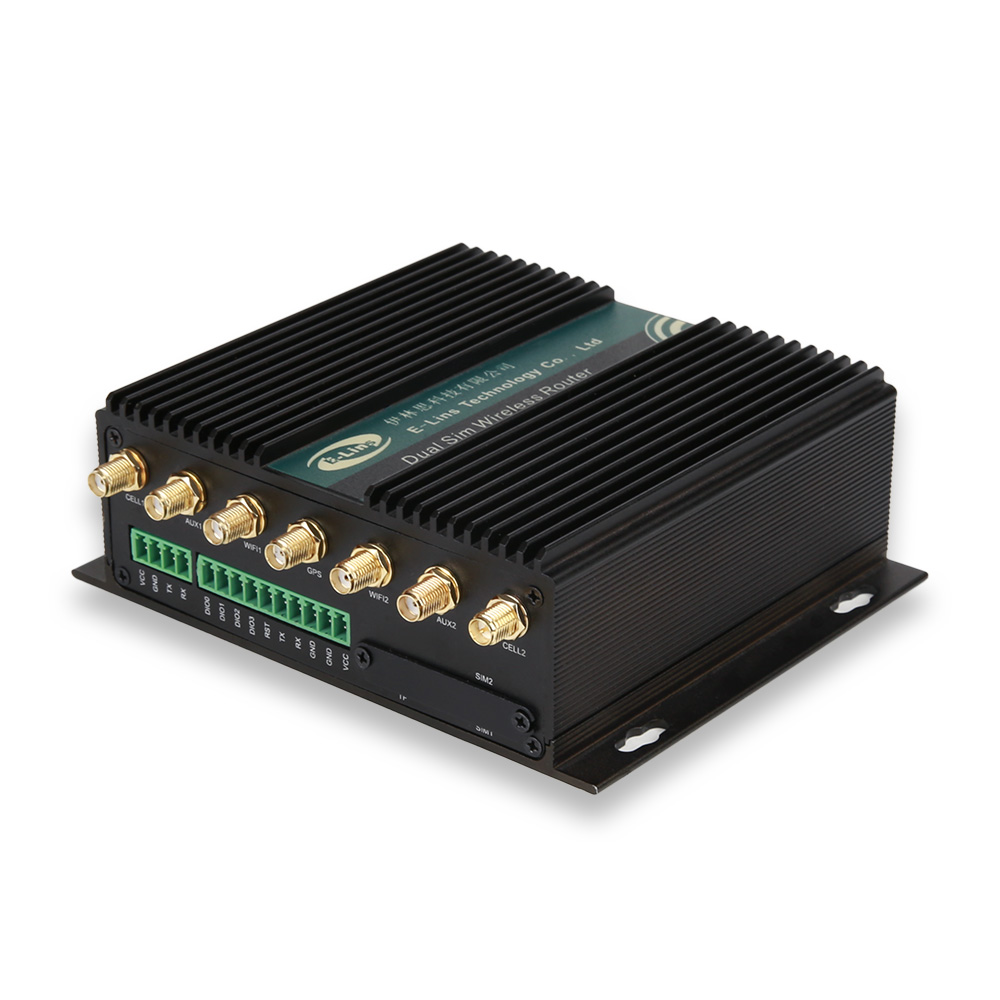
Critical site or vehicle: H900t with dual SIM, Gigabit Ethernet, one or two serial ports, four DI/DO, GPS/BeiDou, dual power inputs and ISO 7637-2 compliance with ignition sensing.
No tolerance for switchover gaps: H700 or H750tt with dual LTE and dual SIM.
Outdoor pole: H820QOt with IP68 enclosure, built-in 14dBi antennas and PoE-powered device input.
High data or cameras on 5G: H900f with 5G SA/NSA, dual SIM hot backup, Gigabit ports and PoE++.
Moderate data on 5G at lower cost and power: RedCap models such as the H685frc, H900frc and H820frc.
Two Worked Examples
A water level station
One RS485 level sensor using Modbus, one Ethernet data logger, a door contact, solar power with a 12V battery, and small daily data volumes. Redundancy needs are moderate. The sizing points to a compact, low-power 4G router with one serial port, an Ethernet port, and a digital input, such as the H685t with optional RS485 and I/O; or, for a pole-mounted antenna position, the H820QOt outdoor CPE with an M300/M400 modem for the serial sensor.
A retail kiosk cluster
Four kiosks in a shopping centre, each with an Ethernet PC, connected to a payment and content platform, with occasional large content updates and no tolerance for transaction outages. The sizing points to a router with several Ethernet ports and two live cellular paths, such as the H700 with dual LTE and dual SIM, or the H900t with dual SIM, Gigabit Ethernet and dual power inputs where a short switchover is acceptable.
Common Sizing Mistakes
Forgetting future devices. Leave at least one spare port of each type you use.
Sizing data on averages. Busy hours and firmware updates define what the link must handle.
Ignoring cold-start power. Cameras with heaters can draw much more on a winter morning.
Treating redundancy as all-or-nothing. Match it to each site’s cost of downtime.
From Individual Sites to Site Types
Few projects have hundreds of unique sites. Most have a handful of site types, such as a small meter cabinet, a pumping station, a depot, and a vehicle, repeated many times. Fill in the worksheet once per site type rather than once per site, choose one model and one configuration template for each, and record exceptions separately. This keeps spares, training and firmware management under control, and it turns later expansion into a matter of picking the right type.
The Baseline Beneath Every Choice
Whichever model a site needs, the industrial basics stay the same across the E-Lins range: components rated from -35°C to +75°C, 15KV ESD protection and 1.5KV electromagnetic isolation, hardware watchdog timers and link self-healing, firmware developed in-house with lifetime free upgrades, and management through TR-069, SNMP, SSH and the E-Lins NMS cloud platform.
The Manufacturer
Shenzhen E-Lins Technology Co., Ltd. has supplied industrial cellular gateways, routers, and modems since its industrial roots in 1999 and serves customers in more than 150 countries and regions. Size each site type with the five steps above, and choosing the right industrial cellular gateway becomes a matter of reading the worksheet.
https://e-lins.com/
Shenzhen E-Lins Technology Co., Ltd.